Planar
Spectral balance correction that reads your mix against a target shape and corrects it in real time.
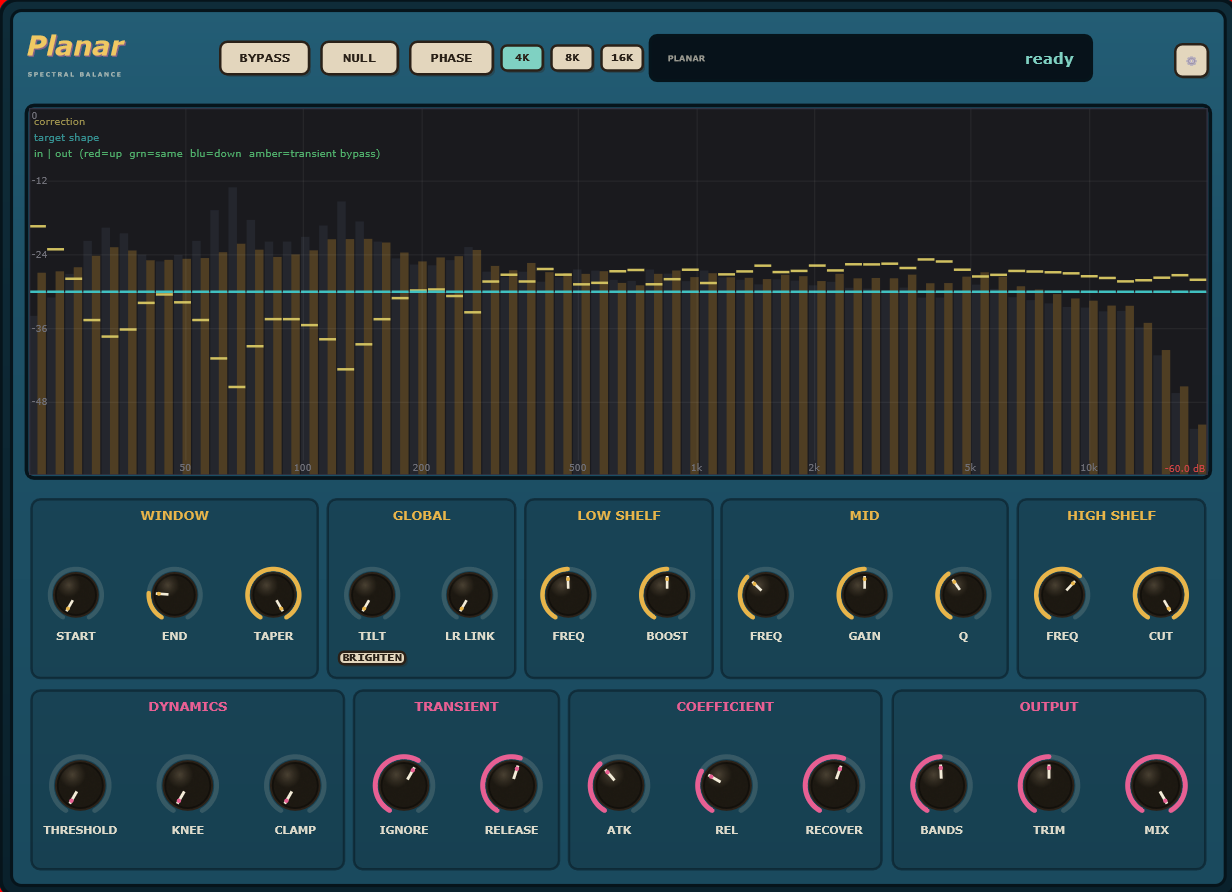
It corrects the spectral balance without touching what's working.
Most EQs ask you to guess. Planar shows you a target shape against your actual spectrum and corrects toward it band by band, so you're making decisions with data instead of instinct.
The correction is phase-coherent and runs with full dynamics control: threshold, knee, transient handling: so it responds to the music rather than static-equalizing the whole mix. A dynamics section lets you set how aggressively it chases the target and how fast it reacts.
It never draws a curve for you to argue with. You set what "balanced" means with the target shaping controls, and Planar keeps correcting toward it as the mix changes.
The interface, explained.
The analyzer is the center of the plugin. Everything else shapes how it corrects.
See the imbalance
Draws your signal against the target shape in real time so you know exactly where the correction is happening.
Focus the analysis
Constrain the frequency range the correction acts on so you're not touching what already sounds right.
Shape the target
Tilt adjusts the overall slope of the target curve; LR Link ties the two channels together for mono-compatible correction.
Anchor the lows
A dedicated low-shelf lets you lock the bottom end independently of the mid correction.
Fine-tune the middle
Parametric mid band for surgical correction in the range that matters most.
Control the response
Sets how much imbalance has to be present before it corrects, and how hard it clamps the result.
Watch it correct a mix in real time.
A full walkthrough of the analyzer, the target controls, and the dynamics section working together on a real mix.
Planar, answered.
What formats and systems does Planar support?
VST3, AU, CLAP and AAX, on Windows, macOS and Linux. The Linux build is VST3 and CLAP.
Is Planar an EQ I draw curves into?
No. You set a target using a pink spectrum, Tilt, the shelves and the Mid bell. Planar corrects each band toward it automatically as the program plays.
Does the correction track the music or is it static?
It tracks the music. A per-band threshold, knee and dynamics section decide which bands are eligible and how fast the correction follows.
Is the free demo limited?
No. The demo is the complete plugin. It just drops to silence briefly now and then until you buy it. No feature locks, no account, no card.
Balance a mix without drawing a single curve.
The whole plugin, free. Set a threshold, play the section, and watch it correct toward the target.